WordPress Content Automation
WordPress content automation with BlazeHive runs from start to finish: it plans the keywords, writes and illustrates each page, and publishes one to your site every day. You connect WordPress once with a free plugin. After that, pages go live on schedule without anyone copying, pasting or formatting.
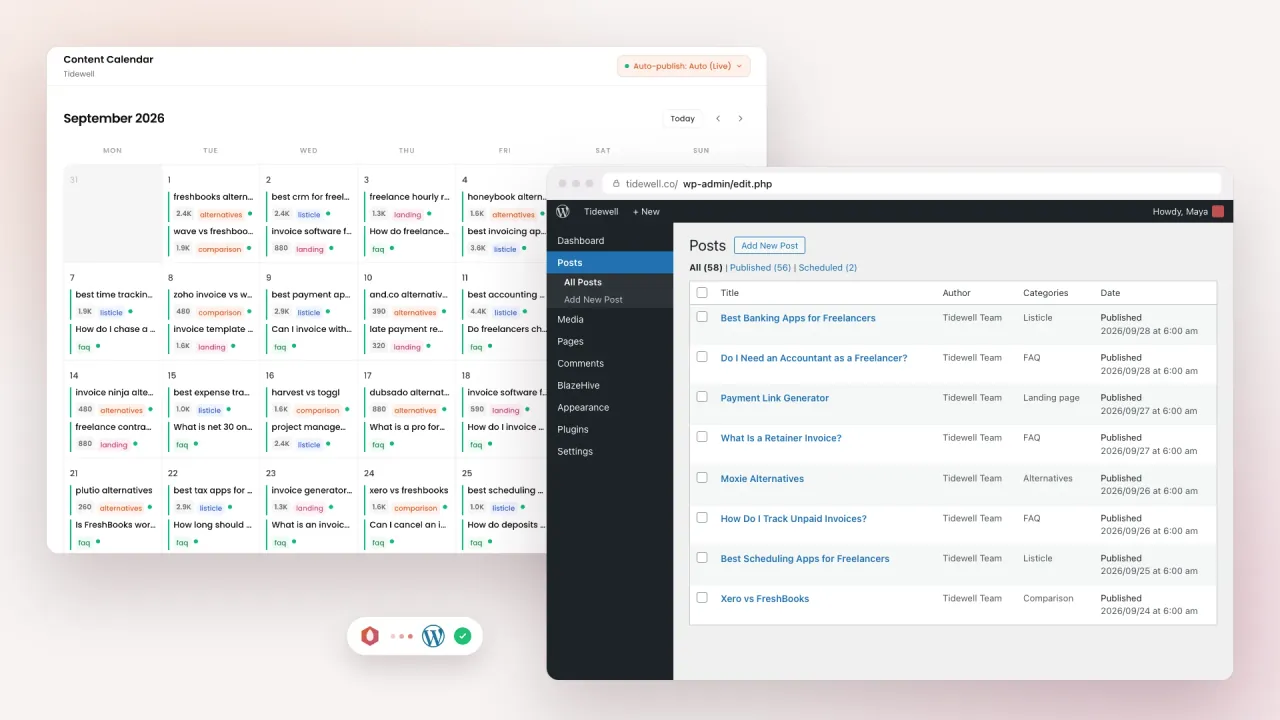








Automated SEO publishing for WordPress, from plan to live page
Connect once. The keyword plan, the writing, the images and the publishing run on their own.
A WordPress automation plugin you set up once
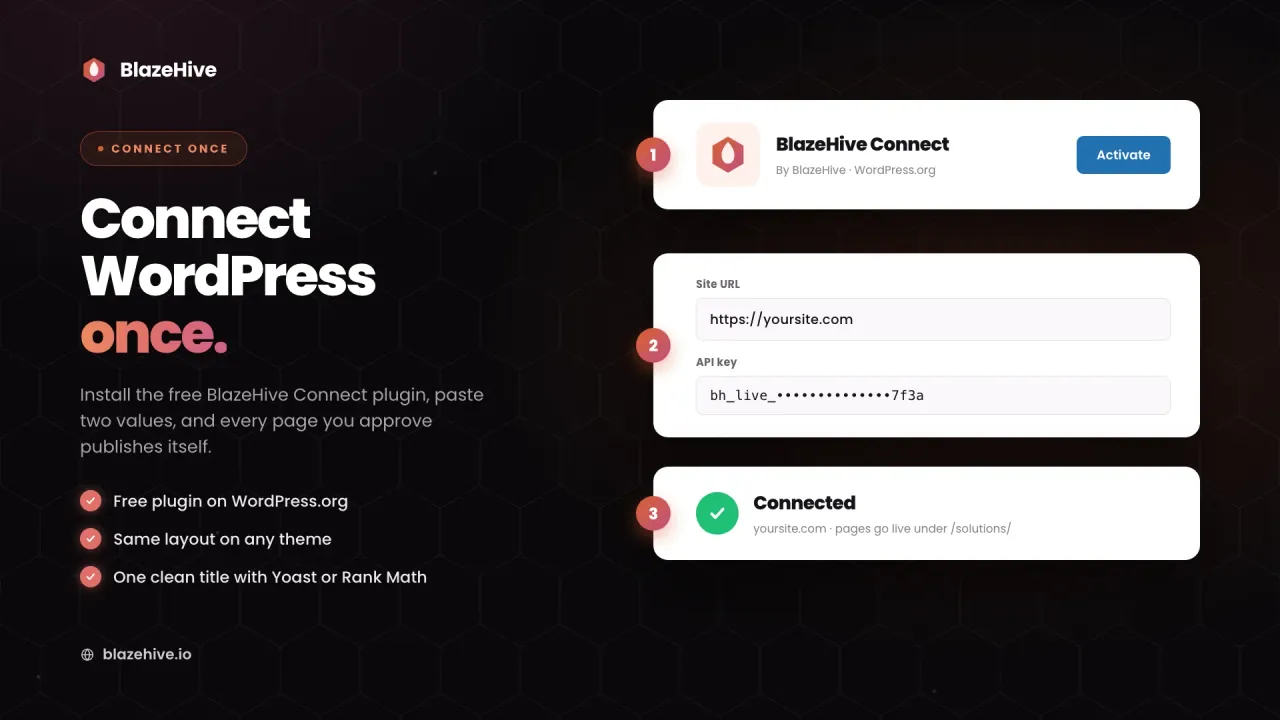
Install the free BlazeHive Connect plugin from WordPress.org, paste the Site URL and API key it shows you into BlazeHive, and click Test connection. That is the whole setup.
- Free plugin from WordPress.org
- Landing pages live under /solutions/ by default
- Or publish into your own post types
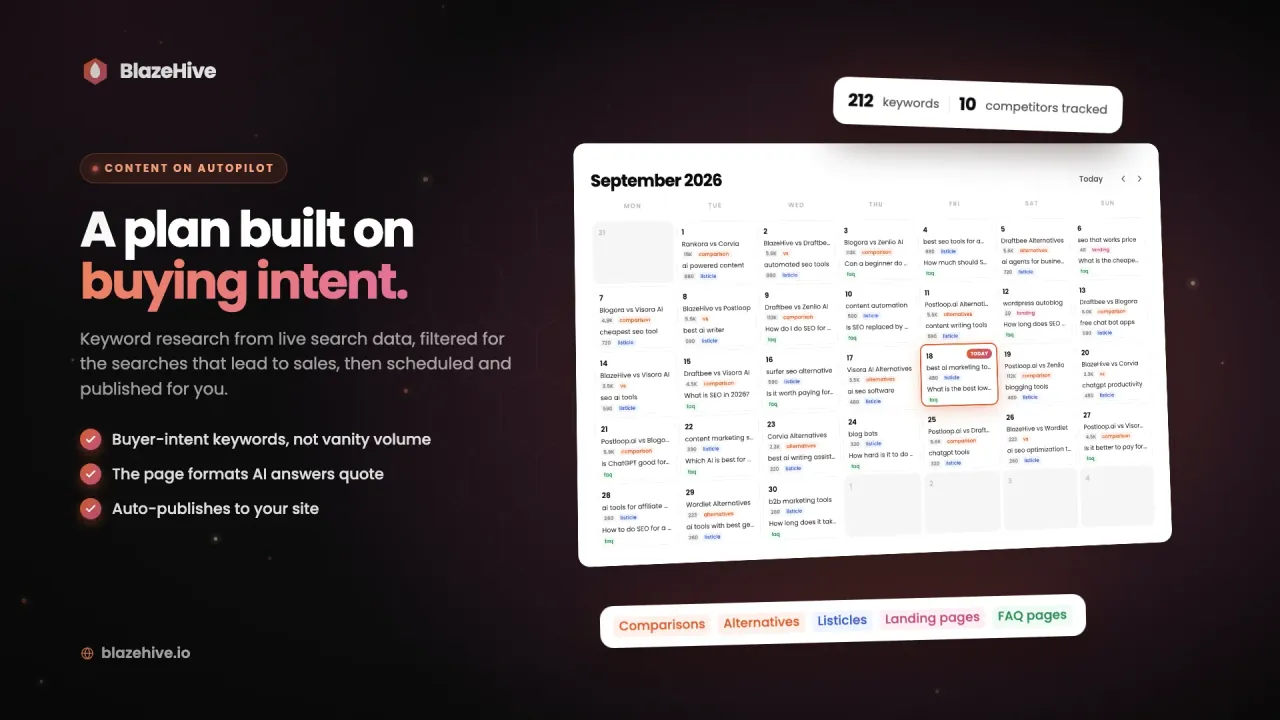
WordPress auto blog posting on a daily schedule
The agent pulls keyword data from live search results, keeps the searches that lead to sales, and puts one page on the calendar for each day. You can move, add or drop any of them.
- One page a day, planned ahead
- Buyer-intent keywords, not vanity volume
- Publish live or as drafts for review
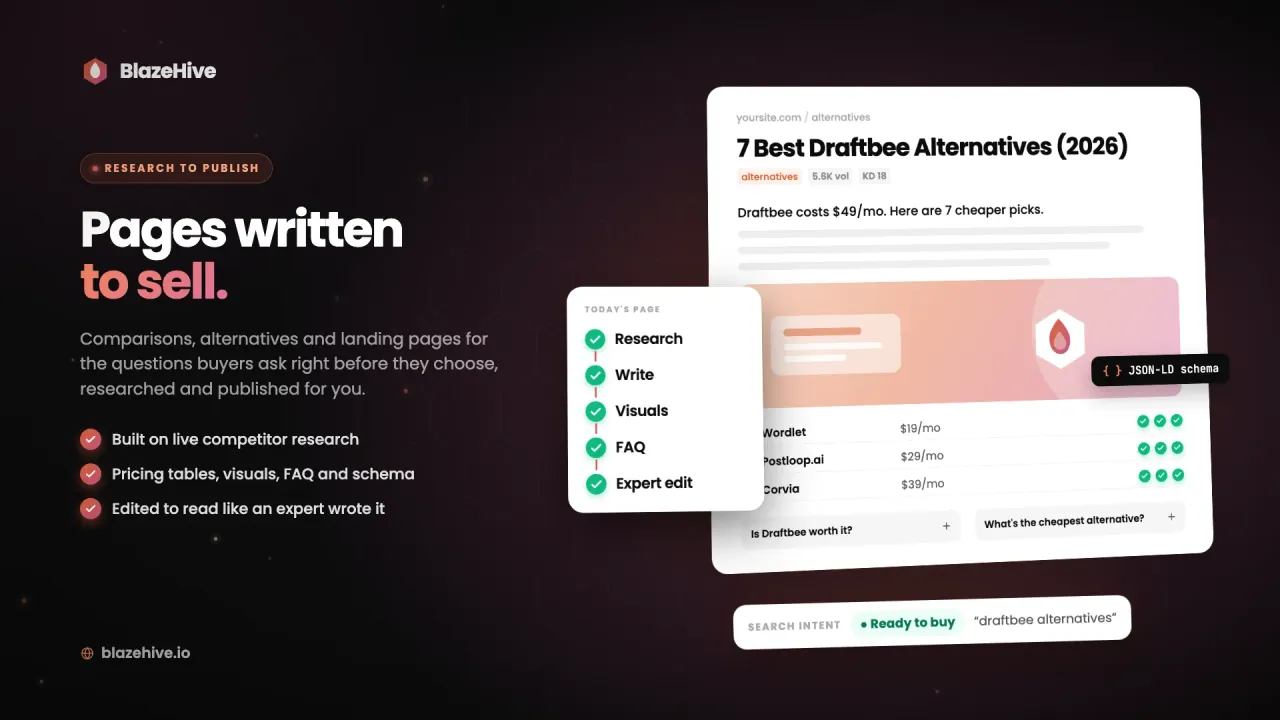
An automated blog post generator for WordPress that researches
Every scheduled page is researched against the pages that rank, written, illustrated and humanized before it goes out. What reaches WordPress is finished.
- Competitor research before every page
- Images, diagrams, tables, FAQ and schema
- AI writing patterns rewritten
Track what automated WordPress publishing brings in
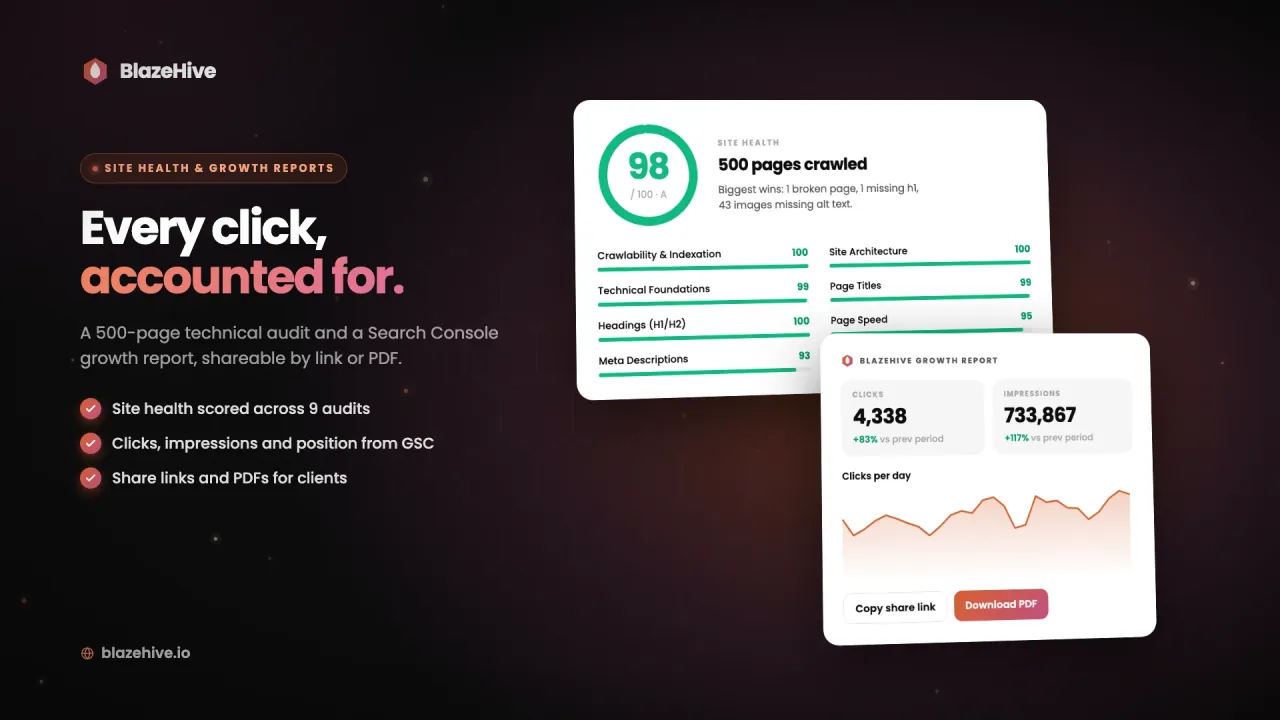
Connect Google Search Console to see clicks, impressions and positions for the pages the agent publishes. A site health audit covers up to 500 pages, and reports share by link or PDF.
- Clicks and rankings from Search Console
- Site health scored across 9 audits
- Shareable links and PDFs
Watch WordPress blog automation run end to end
We Are Growing on Autopilot Too
Every number is pulled straight from the Google Search Console API - the same index AI answers are built on. Dated, reproducible, and verified live on a call if you want to drive.
1,500 page-one rankings. 500+ in Google’s top 3.
Our own domain, run by our own engine. 2.77 million impressions in 5 months, 150+ keywords holding #1 at a perfect 1.0, average position up 50 spots - every number from Google Search Console.
- Impressions
- 2.77M
- Top-3 keywords
- 500+
- Ranked #1
- 150+
What WordPress blog automation covers here:
Automated Pages in 5 Formats
Most WordPress automation reposts feeds or spins one blog template. BlazeHive publishes the formats buyers read before they choose: landing pages, listicles, comparisons, alternatives and calculators.
Automatic AI Visibility Checks
Your agent asks ChatGPT, Claude and Gemini the questions your buyers ask and scores who gets recommended. Gaps go straight into the publishing plan.
Automated Outreach to Ranking Articles
AI answers lean on listicles, reviews and comparisons. Your agent finds the ranking articles that mention your competitors and pitches the site owner for you.
Automated Link Building
Publishing is half the job. Your agent earns real links from sites that write about what you sell, so the pages it publishes can climb. No link farms.
Content automation without the AI slop
Automated content usually means thin, repetitive posts. BlazeHive checks every page against a library of AI writing patterns that grows every day, and rewrites anything that reads like a machine before it publishes. Automating WordPress does not have to cost you quality.
Most auto-blogging tools fill WordPress with filler. BlazeHive publishes pages people read.
A detection library that compounds daily - it's sharper this month than last
Every page screened for generic AI patterns before it publishes
No robotic tells, no thin content AI engines skip, no risk to your brand
Runs itself. Obeys you.
Switch on the automation and leave it, or steer it. Tell your agent which keywords to chase, what to skip, and when to publish, in plain words. It updates the schedule and keeps shipping.
Publishes straight into
your WordPress site.
AT ABSOLUTELY NO EXTRA COST


Plan. Write. Illustrate. Publish. Every day, on autopilot.
Questions about automating WordPress content
What does automating WordPress content involve?
Having new content planned, written and published to your WordPress site without doing it by hand. BlazeHive automates the whole chain: keyword research, writing, images, FAQ, schema and publishing, one page a day.
How do pages get into WordPress?
Through the free BlazeHive Connect plugin. BlazeHive sends each finished page to a secure REST endpoint on your site. Pages go live on schedule or land as drafts, whichever you choose.
Can it overwrite my existing posts?
No. If a new page would share a slug with one of your posts, WordPress gives the new page a unique slug and your post stays as it was. Your other post types are untouched.
Where do the automated pages live on my site?
Landing pages go under /solutions/ by default, with an archive and sitemap entries. If that path is taken, the plugin picks a free one. You can also point any content type at a post type you already use, like /resources/ or /guides/.
Does it slow my site down?
No. Pages render from your own database with no external calls when a visitor loads them, and images ship with their dimensions to avoid layout shift.
Will it work with my theme, Yoast or Rank Math?
Yes. Pages render inside your own header and footer on classic and block themes. The title is left to WordPress and your SEO plugin, so Yoast or Rank Math output one clean title, and every image ships with its width and height.
Is there a free trial?
There is a 3-day free trial, so you can check the pages on your own site before you pay. Plans start at €99/mo after that.
Want to be…