Blog Writing Software
Blog writing software BlazeHive plans your blog on a shared calendar, writes each post and can hold it as a draft until someone on your team signs off. Editors can plan, edit and publish. Clients can follow progress with view-only access. The AI does the drafting, so your team spends its time reviewing.








A blog writing tool built around your team's calendar
Planning, editing and sign-off in one place.
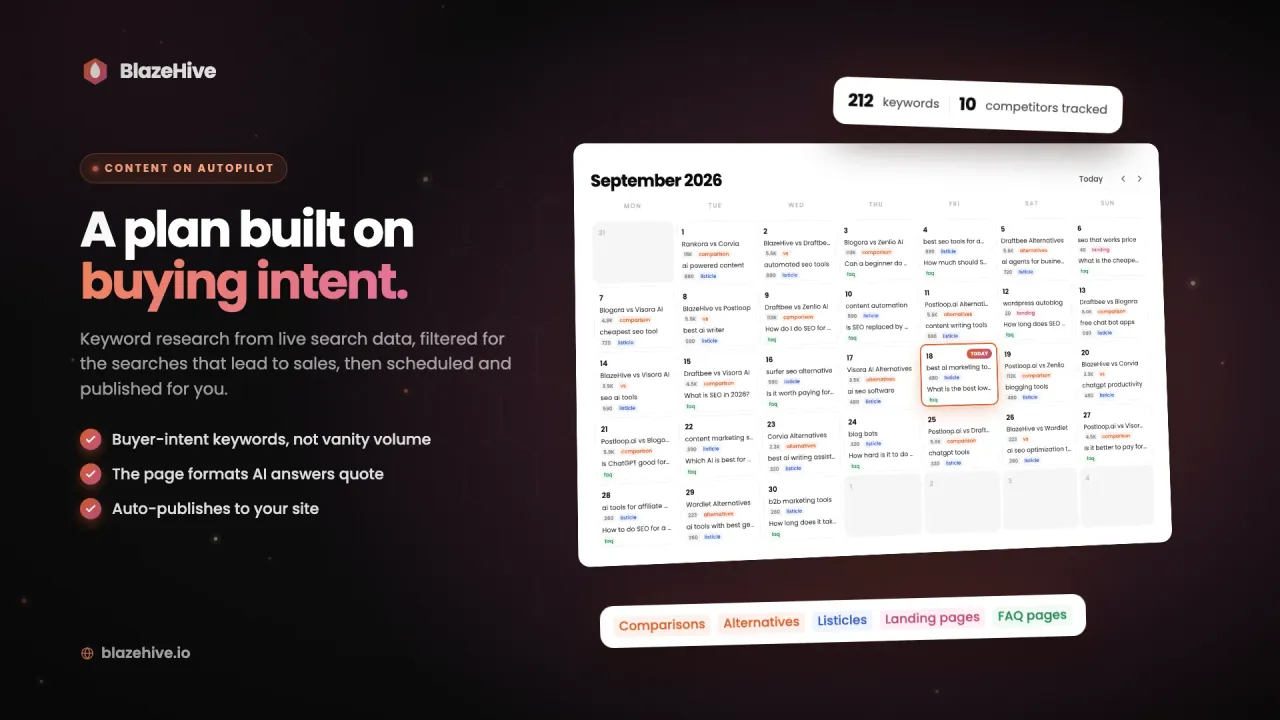
A shared content calendar for the blog
Keyword research from live search data fills the calendar with one post a day. Everyone on the project sees the same plan, and editors can add, move or remove posts.
- One post a day, planned ahead
- Each post tagged with its format
- Queued posts can be moved or removed
An editor for every post
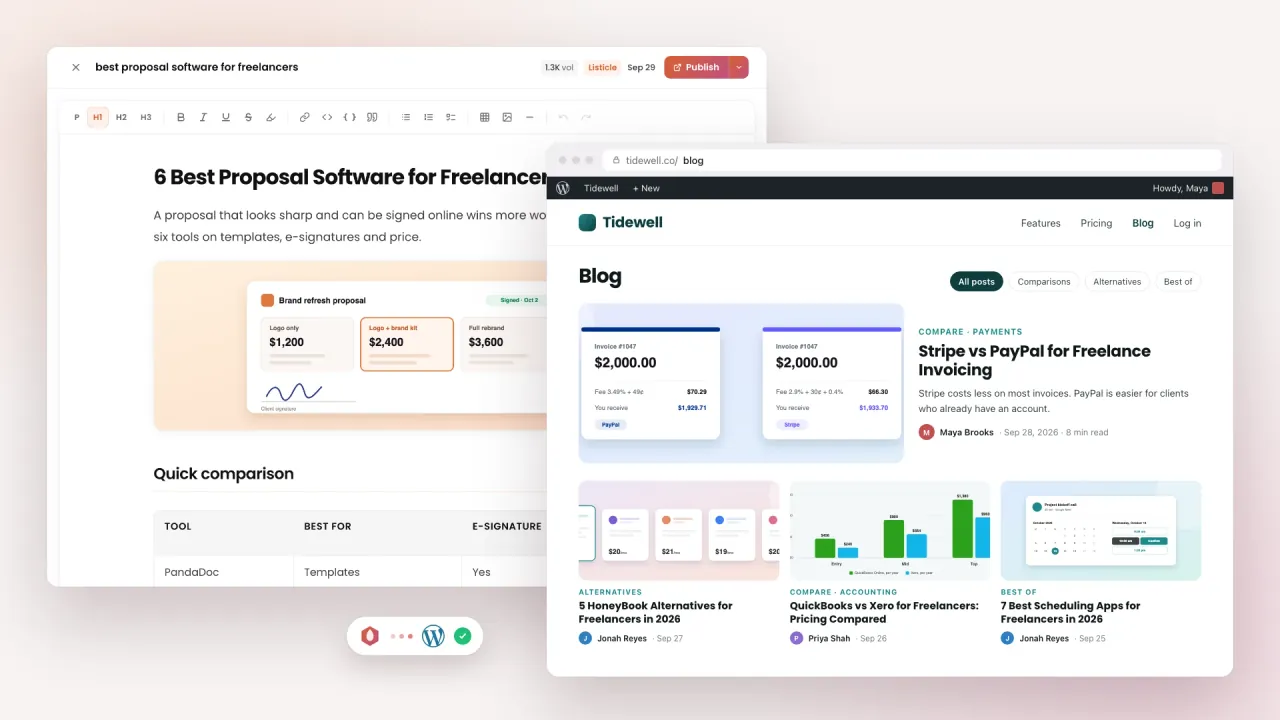
Open any post to read it and change the text, headings or images in the built-in editor. The research, FAQ and schema are already done.
- Rich text editor for every post
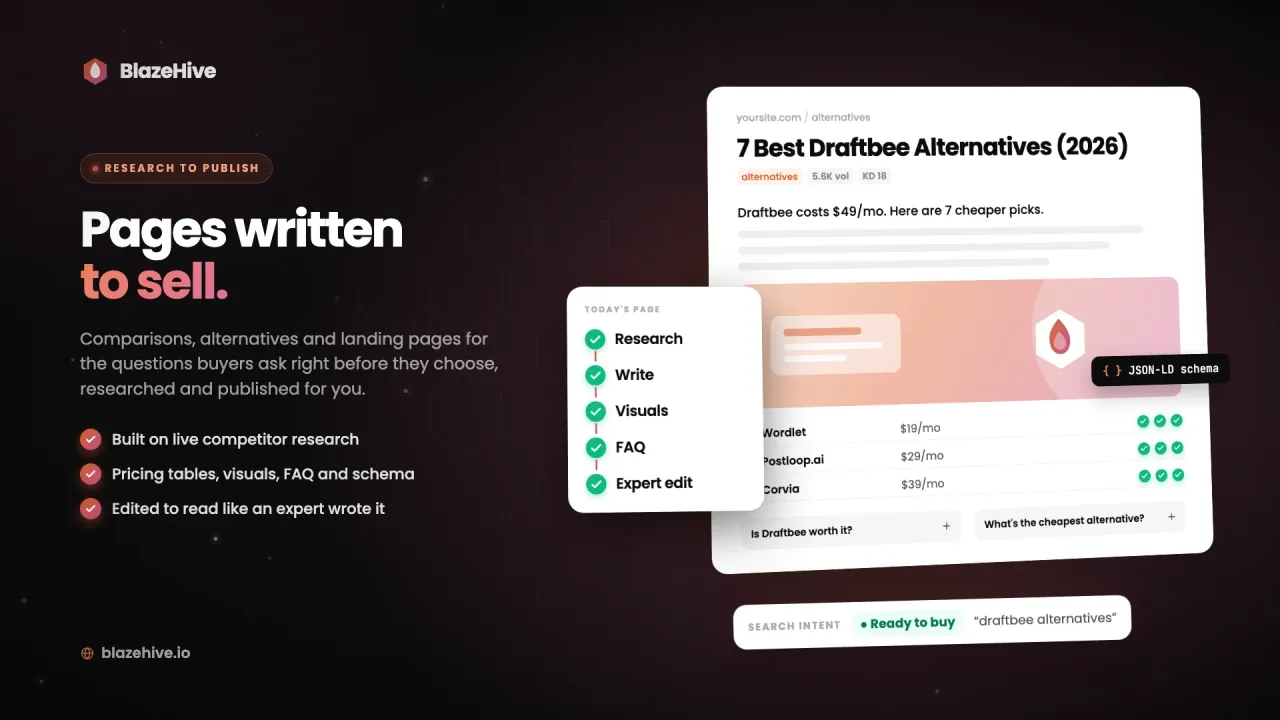
- Images, tables and FAQ included
- Schema generated with the post
Drafts for review before anything goes live
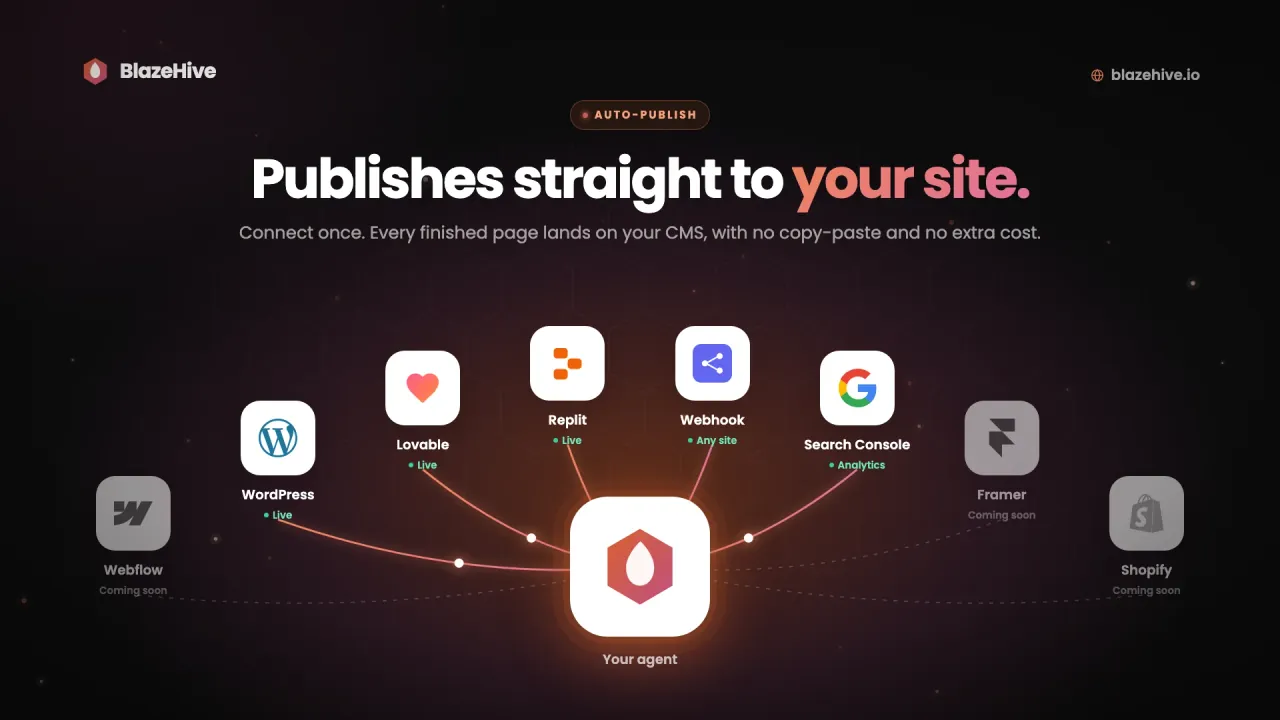
Set auto-publish to drafts and every finished post lands in your CMS unpublished, so an editor can check it first. Or turn auto-publish off and publish each post from BlazeHive yourself.
- Auto-publish live, as drafts, or off
- WordPress, Lovable, Replit or a webhook
- Publish each post by hand if you prefer
Roles for editors and clients
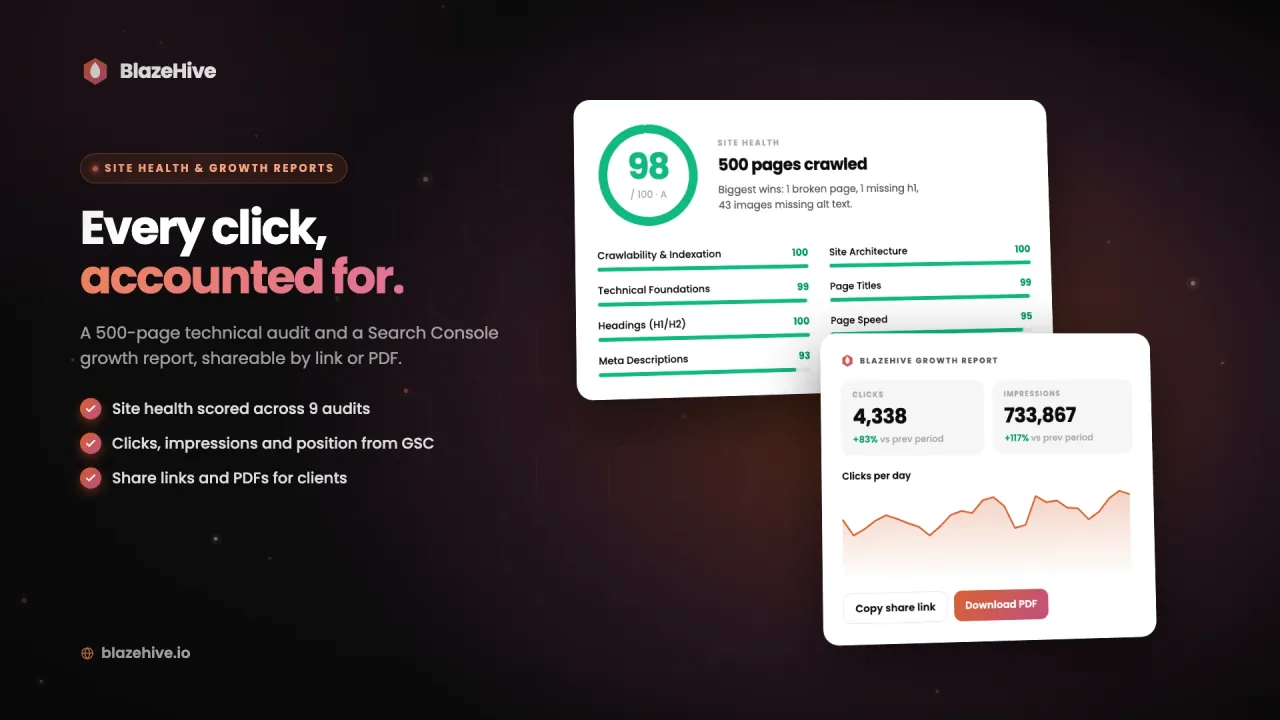
Invite editors who can plan, edit and publish, without access to billing or the team. Clients get view-only access to follow the content and its progress, and reports share by link or PDF.
- Editors plan, edit and publish
- Clients see content and progress
- Search Console reports to share
See a post go from the calendar to published
We Are Growing on Autopilot Too
Every number is pulled straight from the Google Search Console API - the same index AI answers are built on. Dated, reproducible, and verified live on a call if you want to drive.
1,500 page-one rankings. 500+ in Google’s top 3.
Our own domain, run by our own engine. 2.77 million impressions in 5 months, 150+ keywords holding #1 at a perfect 1.0, average position up 50 spots - every number from Google Search Console.
- Impressions
- 2.77M
- Top-3 keywords
- 500+
- Ranked #1
- 150+
What your team gets from AI software for blog writing:
Posts in the Formats Buyers Read
Most AI blog writing software produces one kind of post. BlazeHive writes listicles, comparisons, alternatives posts, landing pages and interactive calculators, and picks the format that fits each keyword.
A Plan That Covers AI Search
Your agent asks ChatGPT, Claude and Gemini the questions your buyers ask and records who they recommend. The questions where you are missing go onto the calendar.
Your Brand in Posts About Competitors
Other blogs in your market publish listicles and reviews that name your competitors. Your agent finds the ones that rank and pitches your brand to the site owner.
Links That Help Posts Rank
Your team's posts rank faster with links pointing at them. Your agent earns real links from sites that write about what you sell. No link farms and no PBNs.
An AI slop check before your team reviews
Editing AI drafts is slow when every paragraph opens with filler. BlazeHive checks each post against a library of AI writing patterns that grows every day and rewrites flagged sentences before the post reaches your team.
Your editors review finished posts, with images, FAQ and schema already in place.
The pattern library grows daily
Every post is checked before your team sees it
Tone taken from your own site
Runs itself. Obeys you.
Anyone with editor access can steer the plan. Ask your agent in plain words to add a keyword, move a post to another date or pull one from the calendar, and it updates the schedule.
Sends posts to
the blog your team already runs.
AT ABSOLUTELY NO EXTRA COST


Plan, review and publish the blog from one account.
Questions about software for your blog
What does AI software for blog writing do?
It plans, writes and publishes posts for your blog. BlazeHive picks keywords from live search data, researches each post, writes and humanizes it, and adds images, FAQ and schema. Your team reviews and edits what it writes.
Can my team review posts before they publish?
Yes. Set auto-publish to drafts and every post lands unpublished in your CMS. Or turn auto-publish off and publish each post from BlazeHive after someone has read it.
Who on my team can edit posts?
Editors can plan, edit and publish content, without access to billing or the team. Clients get view-only access to the content and its progress.
Can we change the content plan?
Yes. Queued posts can be moved to another date or removed from the calendar, and your agent adds new keywords when you ask. Rules like a minimum search volume or page types to avoid apply to every future post.
What kinds of posts does it write?
Listicles, comparison and "vs" posts, alternatives posts, landing pages, calculator pages and short FAQ posts. The format comes from what ranks for each keyword.
Which platforms does it publish to?
WordPress through a plugin, Lovable, Replit, and any other site through a webhook. Google Search Console connects for analytics. Webflow, Framer and Shopify are coming soon.
Is there a free trial?
There is a 3-day free trial, so you can check the pages on your own site before you pay. Plans start at €99/mo after that.
Want to be…