What Are Broken Links and How Do You Fix Them?

A broken link, also called a dead link, is a link on a webpage that no longer works. When a user clicks it, they don't reach the intended page. Instead, they typically see a "404 Not Found" error message.
Your Website's Digital Dead Ends
Imagine your website is a city, and links are the roads. A broken link is like a bridge that’s out—it stops traffic, leaves visitors stranded, and suggests the city is poorly maintained.
This happens for a few common reasons. The destination page may have been deleted, or its URL changed without a redirect. Sometimes, it's just a typo in the link itself. While it seems like a small technical glitch, it's a significant problem for any serious website owner.
Why Do Broken Links Matter?
These digital dead ends do more than just annoy visitors; they actively harm your website's health. A broken link signals to a user that "this site isn't well-maintained." This frustration often causes them to leave and not return, hurting your credibility and increasing your bounce rate.
Search engines like Google also see broken links as a sign of a neglected or low-quality site, which can lower your search rankings.
And this isn't a rare problem. Link rot, the natural decay of links over time, affects even the most trusted websites.
A Pew Research Center analysis found that 23% of news pages and 21% of government pages have at least one broken link. The problem is even widespread on Wikipedia, where 54% of pages contain a dead link in their references.
Think of broken links as cracks in your website's foundation. If left unfixed, they can undermine user trust and search engine performance. Finding and fixing them ensures every path on your site leads somewhere valuable.
How Broken Links Damage Your Website

It's tempting to dismiss broken links as minor glitches, but they inflict real damage on your user experience (UX) and search engine optimization (SEO). From a visitor's perspective, a broken link is a broken promise.
Imagine a potential customer clicks a link for a "free template" only to land on a "404 Not Found" page. The experience is frustrating, erodes trust, and usually sends them back to the search results.
This immediate exit increases your bounce rate—the percentage of visitors who leave after viewing only one page. A high bounce rate signals to search engines that your site isn't delivering value, which can harm your rankings.
The Hidden Cost to Your SEO
Beyond user frustration, broken links create two significant SEO problems.
First, they waste your crawl budget. Search engines allocate a limited amount of resources to crawl each website. When their bots encounter broken links, they waste time on dead ends instead of discovering and indexing your new, important content.
Second, they cause link equity (or "link juice") to disappear. Each internal link passes a small amount of authority from one page to another. When a link points to a 404 page, that authority vanishes instead of flowing through your site and boosting its overall strength.
A website with many broken links appears neglected to both users and search engines. It implies the content is outdated, creating a perception of low quality that can be hard to overcome.
Here's a quick breakdown of the negative effects.
Impact of Broken Links on SEO and User Experience
| Area of Impact | Specific Negative Effect | Why It Matters for Your Business |
|---|---|---|
| User Experience (UX) | Increases user frustration and mistrust. | Frustrated visitors don't convert. They leave and are unlikely to return, costing you leads and sales. |
| Bounce Rate | Visitors leave immediately after hitting a dead link. | High bounce rates tell search engines your site isn't valuable, pushing your rankings down. |
| Crawl Budget | Search engine bots waste resources on non-existent pages. | Your most important new content may not get indexed, making it invisible in search results. |
| Link Equity | Authority passed from internal and external links is lost. | Weakens your site's overall domain authority, making it harder to rank for competitive keywords. |
| Brand Perception | Signals that your website is outdated or poorly managed. | Damages your credibility and can make potential customers question your attention to detail. |
The consequences affect everything from your search visibility to your brand's reputation.
Damaging Your [Backlink Profile](/tools/free-backlink-checker/)
The damage extends to links pointing to your site from other domains. If another website links to a page on your site that you've since moved or deleted, that valuable backlink is now broken.
This means you lose 100% of the SEO benefit that backlink was providing. All the authority gained from that reputable source is gone.
This is a critical blind spot for many website owners. To learn more about how incoming links shape your site's reputation, see our guide on what is a backlink profile. Regularly finding and fixing broken inbound links is essential for protecting your SEO foundation.
Understanding the Common Causes of Broken Links
To manage broken links effectively, you must understand where they come from. They usually stem from a mix of simple internal mistakes you can control and external changes you can't. A broken link typically traces back to an issue on your own site (internal) or a problem on a site you’ve linked to (external).
External Factors: The Ones You Can't Control
External broken links occur when a page you've linked to disappears. The owner might have removed the page or changed its URL. This is a natural, if annoying, part of the web’s lifecycle known as "link rot."
For example, you might link to an insightful industry report from last year. If that organization redesigns its website and moves or deletes the report without a redirect, your once-perfect link now leads to a 404 error.
The web is not static; pages are constantly being updated, moved, or removed. This means some of your outbound links will inevitably break over time, no matter how careful you are.
This is why it's best to link to stable, authoritative sources. Even then, regular checks are the only way to catch these links when they go bad.
Internal Mistakes: The Ones You Can Prevent
Ironically, the most damaging broken links are often self-inflicted. These internal errors result from your own actions and are almost entirely preventable with careful processes.
Here are the most common internal culprits:
- Typos: A simple mistyped URL is a classic mistake. Linking to
/about-uswhen the page is actually/aboutuscreates an instant broken link. - Deleting Pages: If you remove an old blog post or a service page, you must update all internal links pointing to it. Otherwise, you've created a trail of dead ends.
- Changing URL Structures: This is a major one. If you restructure your site and change your blog's URL pattern from
/blog/my-postto/articles/my-post, you must implement 301 redirects. Without them, every link to the old URLs will break.
These internal breaks are especially harmful because they signal poor site management to search engines, which can hurt your SEO. By being mindful of these common pitfalls, you can significantly reduce broken links and maintain a professional, healthy website.
Your Step-by-Step Guide to Finding and Fixing Broken Links
Knowing what causes broken links is half the battle. Now it's time to hunt them down and fix them. This link audit is vital maintenance for a healthy website. Think of it as a regular check-up, not a one-time fix.
Fortunately, powerful tools can automate this process, turning a massive job into a manageable one.
Choosing Your Link Audit Tools
The first step is picking the right tool. Your choice will likely depend on your budget and technical needs.
Here are some reliable options:
- Google Search Console (Free): This is the best place to start. Google’s free dashboard shows you how it sees your website, including crawl errors. The 'Pages' report lists any URLs that returned a "Not found (404)" error, pointing you directly to broken internal links.
- Ahrefs (Premium): A comprehensive tool like Ahrefs offers a robust solution. Its 'Site Audit' feature crawls your entire site and generates a detailed report on all broken links, both internal and external.
- Screaming Frog SEO Spider (Freemium): This desktop app crawls your site like a search engine bot to find technical issues. The free version crawls up to 500 URLs, making it a great option for smaller sites to find broken links and redirect errors.
A consistent link audit schedule is non-negotiable. Think of it like a dental check-up for your website—it prevents small issues from becoming major problems. A monthly check is a great baseline for most businesses.
This infographic shows the common causes of broken links, from external changes to internal mistakes.
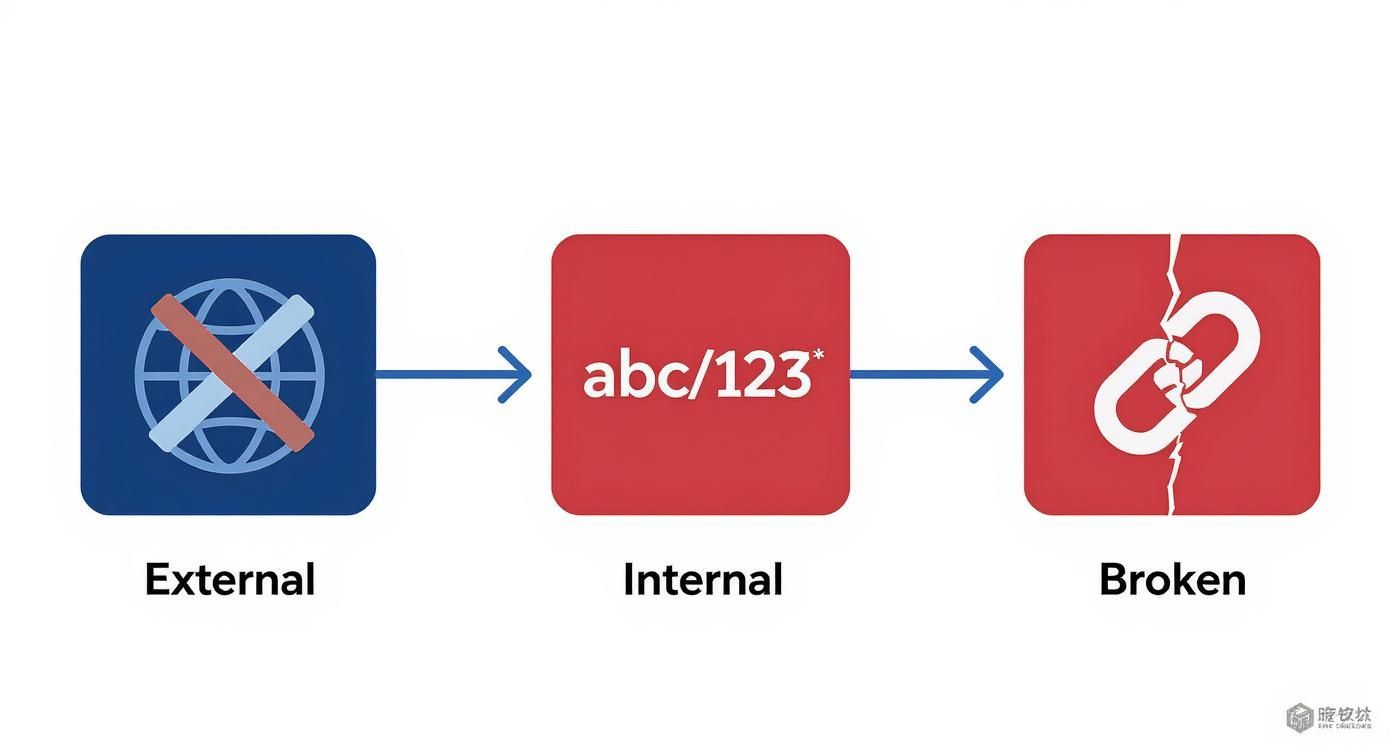
While you can't control what other sites do, internal errors like typos are entirely preventable with careful management.
The Three-Step Fixing Workflow
Once your audit tool provides a list of broken links, it's time to act. Each broken link is a unique problem requiring a specific solution. Your approach will fall into one of three categories.
Here's what a broken link report looks like in a tool like Ahrefs. It provides a clean, prioritized list of what needs your attention.
A dashboard like this is invaluable because it shows you exactly where to start fixing.
For every broken link you find, follow this simple decision tree:
- Update the URL: This is the best-case scenario. If a link is broken due to a typo or a moved page, simply edit the link to point to the correct URL. This works for both internal and external links.
- Remove the Link: If the linked page is gone and no suitable replacement exists, remove the link entirely. It's better to have no link than a dead one that creates a frustrating dead end.
- Implement a 301 Redirect: This is the most critical fix for broken internal links. If you've deleted a page or changed its URL, you must set up a 301 redirect. This command automatically sends users and search engines from the old URL to the new one, preserving link equity and ensuring a smooth user experience.
Turning Broken Links Into SEO Wins
So far, we've discussed fixing broken links on your own site. But what if you could turn someone else's broken links into an SEO asset for yourself? This is the core idea behind broken link building.
The strategy is simple: find broken links on authoritative websites in your niche. Then, contact the site owner, inform them of the dead link, and offer your own relevant content as a replacement.
This creates a win-win situation. You help them fix a 404 error, and in return, you earn a valuable backlink that passes authority to your site. This tactic often works better than cold outreach because you're starting the conversation by offering a helpful solution.
The Broken Link Building Process
This process requires methodical work, but the results are worth it. You shift from being a passive website owner to an active opportunity scout.
Here’s a simple workflow:
- Identify Target Websites: Create a list of authoritative blogs, resource pages, and industry news sites where a backlink would be valuable.
- Find Their Broken Links: Use a tool like Ahrefs' Site Explorer or Semrush to scan these sites for broken outbound links related to topics you cover.
- Craft Your Outreach Email: Write a personalized, friendly, and helpful email. Point out the exact broken link and where you found it, then suggest your content as a great replacement.
The key to successful broken link building is to lead with genuine helpfulness. Your email should feel less like a demand and more like a friendly tip from a colleague who happens to have the perfect fix.
Despite its effectiveness, broken link building is an underused tactic. Research shows that only about 14.09% of marketers actively use it, creating a significant opportunity for those willing to put in the effort. To better understand how different links impact your site, see our guide on the types of links in SEO.
Since 65% of marketers agree that link building is the hardest part of SEO, mastering a technique like this can give you a real competitive advantage. You can explore these stats and more in the latest industry studies on Userp.io.
Building a Proactive Link Maintenance Routine
Fixing broken links is good, but preventing them is even better. A proactive link maintenance routine shifts you from a reactive "cleanup" mode to a consistent workflow. It’s like preventative care for your website—you’re not just putting out fires; you’re fire-proofing the building.
The goal is to weave simple habits into your daily content and site management to catch issues before they can harm your SEO or frustrate visitors.
Establishing Your Proactive Checklist
A solid system doesn't require a lot of extra work. It's about being more deliberate with tasks you're already doing.
Here’s a practical checklist to start using today:
- Schedule Regular Audits: Put it on your calendar. A recurring monthly audit using a tool like Ahrefs or Google Search Console is a great starting point for most sites. This ensures no broken link stays hidden for long.
- Enforce a Redirect Policy: Make this a firm rule: no URL is ever changed or deleted without a 301 redirect. This is critical during site redesigns or content updates to preserve your link equity and prevent internal 404s.
- Vet Your External Links: Be selective about who you link to. Prioritize stable, authoritative sources like major industry publications or official documentation. These are far less likely to break than links to small, temporary blog posts. Curating high-quality links on pages like these resource page examples also makes your outbound connections easier to manage.
A proactive maintenance routine is the difference between being a digital firefighter, constantly putting out 404 errors, and being a digital architect, building a resilient website from the ground up.
By embedding these habits into your workflow, you move from fixing problems to preventing them. This consistent effort builds a healthy, high-performing website that both users and search engines will trust.
Frequently Asked Questions About Broken Links
Here are answers to some of the most common questions about broken links.
How Often Should I Check for Broken Links?
A monthly check is ideal for most websites. It’s frequent enough to catch problems early without becoming a major time commitment.
However, for large e-commerce sites or busy blogs publishing content daily, a weekly check is better. The more frequently your site changes, the more often you should audit it. Automated tools can make this a simple background task.
Are Broken External Links as Bad as Internal Ones?
Both are harmful, but broken internal links do more direct damage to your SEO and should be your top priority. They act as roadblocks that stop search engine crawlers from discovering and indexing your pages, which can directly hurt your rankings.
Broken external links are primarily a user experience problem. They send visitors to a dead end, which makes your site look neglected. While not as structurally damaging as internal breaks, a page filled with dead outbound links can still signal low quality to users and search engines.
A 404 error itself isn't the problem; it's simply the server's way of saying "this page doesn't exist." The real issue is having a live link on your site that points to that 404 page, as this creates the frustrating user experience and wastes your crawl budget.
Is a 404 Error Page Always a Bad Thing?
Not at all. A 404 page is an opportunity. Instead of a generic error screen, you can create a custom 404 page that guides visitors back to your site.
Include a search bar, links to your homepage or popular articles, and add some brand personality. A well-designed 404 page can turn a moment of frustration into a positive interaction, keeping visitors on your site and helping them find what they need.
Ready to automate your SEO and build powerful backlinks without the manual grind? BlazeHive uses AI to connect you with relevant websites, building your authority on autopilot. Discover how it works at https://www.blazehive.io.